Mesh Shaders As Replacement for Hardware Tessellation?
Introduction
Mesh shaders represent a notable evolution in modern graphics pipelines. They are often positioned as a potential “silver bullet” capable of replacing the traditional geometry processing stages—namely vertex, tessellation, and geometry shaders. For instance, the DirectX specification frames their role as follows:
There will additionally be a new Amplification shader stage, which enables current tessellation scenarios. Eventually the entire vertex pipeline will be two stages: an Amplification shader followed by a Mesh shader. […] The Amplification shader allows users to decide how many Mesh shader groups to run and passes data to those groups. The intent for the Amplification shader is to eventually replace hardware tessellators.
It was the latter claim that made me suspicious and motivated me to dive a bit into this topic.
Glossary
For this blog post, I have used both Vulkan and DirectX resources. Therefore, terminology is clarified upfront to avoid ambiguity:
| Term | Explanation |
|---|---|
| “Graphics Pipeline” | A rasterization-based graphics pipeline with classical shader stages, and classical geometry shader stages: vertex, tessellation, and geometry shaders |
| “Graphics Mesh Pipeline” | A rasterization-based graphics pipeline with amplification/task and mesh shaders |
| “Vertex Shading” | Rasterization using a classical graphics pipeline |
| “Mesh Shading” | Rasterization using a graphics mesh pipeline |
| “Task Shader” | First shader stage in graphics mesh pipelines (Vulkan terminology) |
| “Amplification Shader” | First shader stage in graphics mesh pipelines (DirectX terminology) |
| “Mesh Shader” | Second shader stage in graphics mesh pipelines |
Table 1: Relevant terms, some of which are used in Vulkan, others in DirectX, some in both APIs.
Faster Than Vertex Shading
Early experiments replacing vertex shaders with mesh shaders reported highly promising results. For example, Arseny Kapoulkine demonstrated in niagara: Tuning mesh shaders a throughput of 20.7B rasterized triangles per second with mesh shading, compared to 7.4B/s using vertex shading.
In our own work on Conservative Meshlet Bounds for Robust Culling of Skinned Meshes, we observed a less dramatic but still clear performance improvement: With culling disabled in task shaders—ensuring identical geometry workloads—vertex shading rendered the scene shown in Figure 1 at 27.1 FPS, whereas mesh shading achieved 32.8 FPS, corresponding to a 21% speedup on an RTX 3050 Laptop GPU. Although the primary focus of that work was enabling fine-grained culling for geometrically dense skinned meshes, for this comparison, it is useful to disable culling in task shaders.
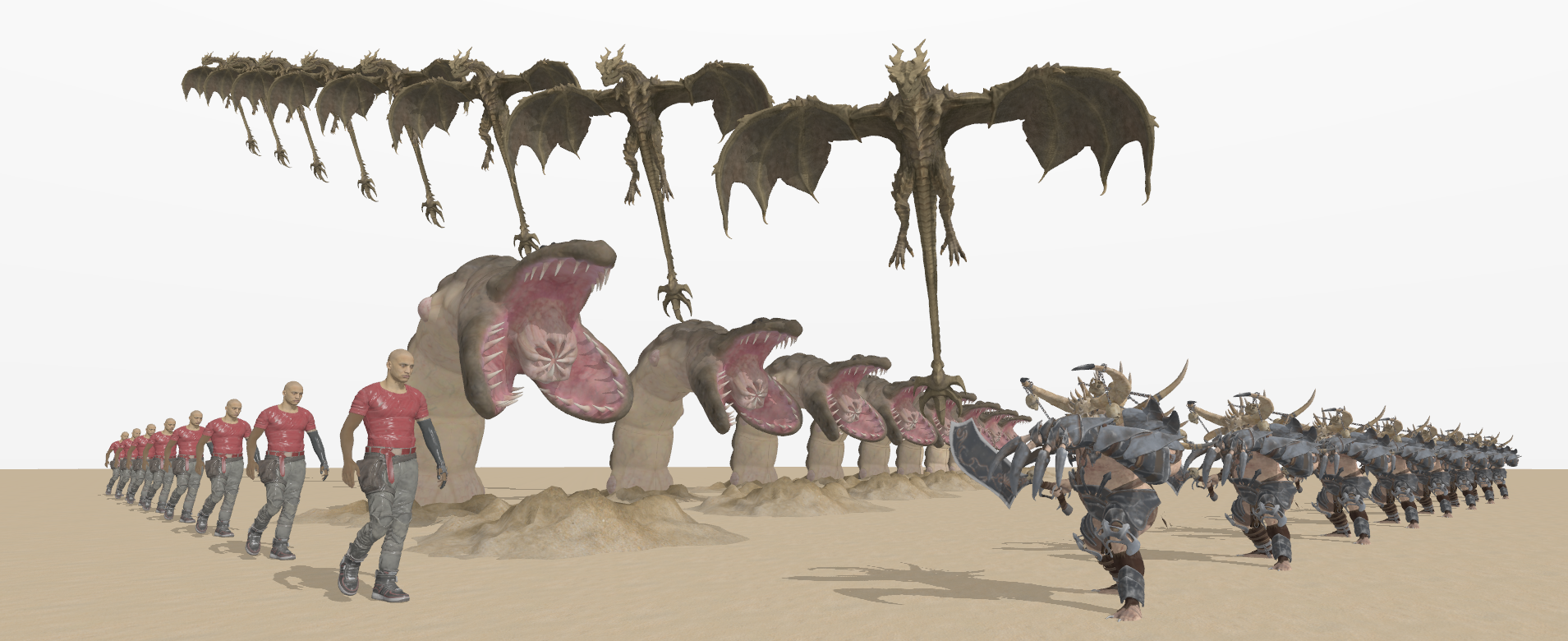
Figure 1: A screenshot of our evaluation scene that shows multiple different animated 3D models. Notably, instances of the same model type are not rendered with instanced rendering, but all are individually animated and rendered—they just use the same animation clips and times.
The reasons for the better performance of mesh shading seem to be the elimination of the input assembly stage and improved parallelism. I also suspected ordering guarantees being a factor, but they still apply to some degree according to the DirectX specification.
But What About Tessellation?
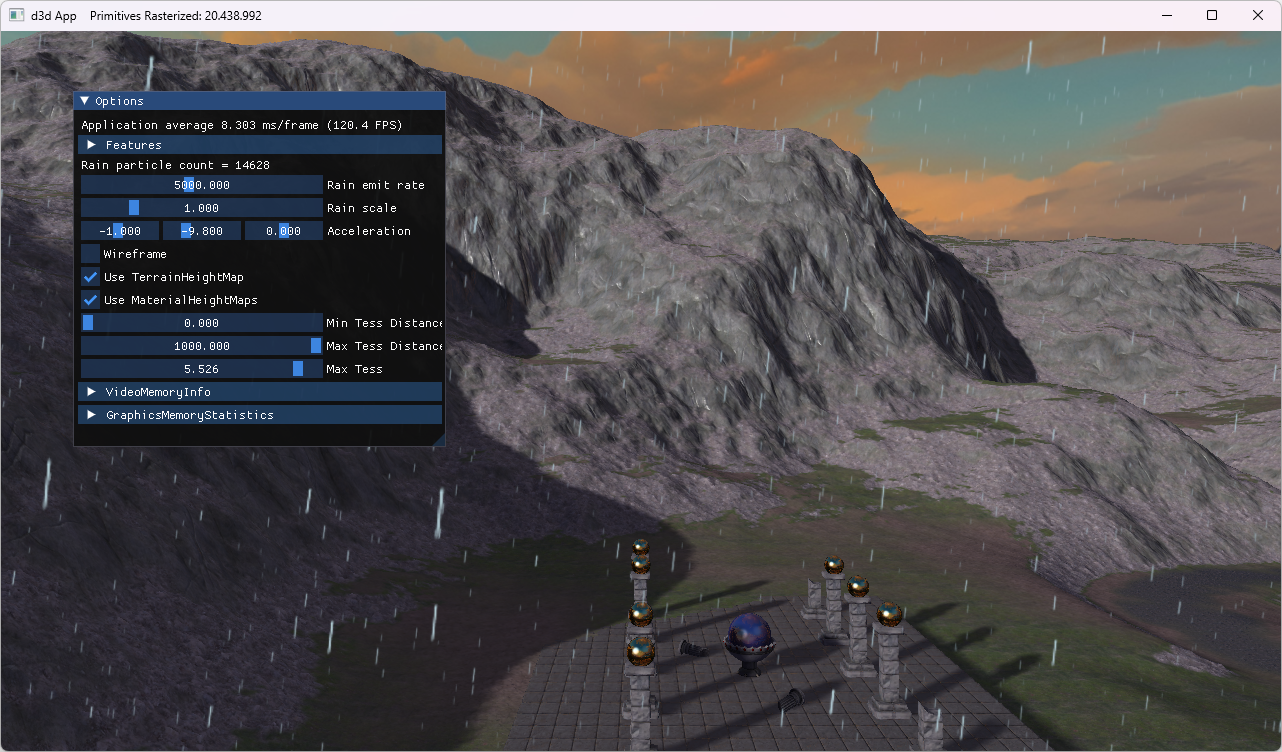
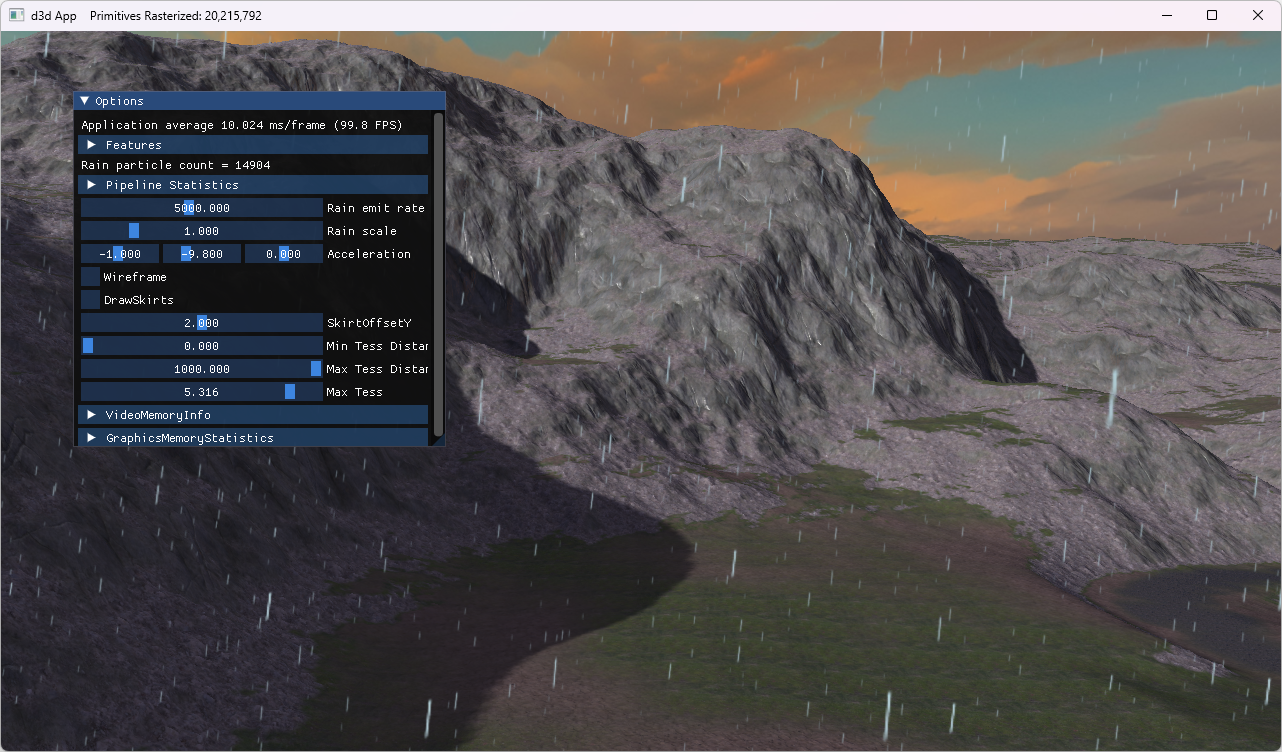
Finding comparable examples between hardware tessellation and mesh shading proved a bit challenging. I was finally able to find one in the book Introduction to 3D Game Programming with Direct3D 12.0, 2nd edition and its accompanying source code. The sample applications Terrain and TerrainMS both implement terrain subdivision, using either the fixed-function tessellator (with hull and domain shaders) or amplification and mesh shaders, respectively. Table 2 summarizes the rendered output alongside measured frame rates.
| Terrain | TerrainMS |
|---|---|
 |
 |
| Hardware tessellation | Mesh shading |
| 20.4M triangles | 20.2M triangles |
| 144 FPS | 119 FPS |
Table 2: Performance comparisons of a hardware tessellation-based implementation and its mesh shading-based counterpart. Both approaches subdivide the input terrain to rasterize over 20 million triangles, measured on an RTX 4060 Ti.
The performance results in Table 2 indicate a ~21% performance advantage for traditional hardware tessellation. The difference is even bigger in favor of hardware tessellation in one of our own research projects: I’ve created a mesh shading-based alternative tessellation implementation to replace the hardware tessellation-based implementation of our paper Fast Rendering of Parametric Objects on Modern GPUs, which resulted in a 76% performance regression. Achieving a competitive implementation remains nontrivial: although mesh pipelines expose flexible, compute-like stages, data exchange between task and mesh shaders introduces additional complexity.
With the original hardware tessellation approach from our paper, parametric patches (quads) are submitted individually to graphics pipelines and subdivided with factors of up to 64×64. A direct mapping of this strategy to task and mesh shaders would imply a workgroup size of 1:
layout(local_size_x = 1, local_size_y = 1, local_size_z = 1) in;
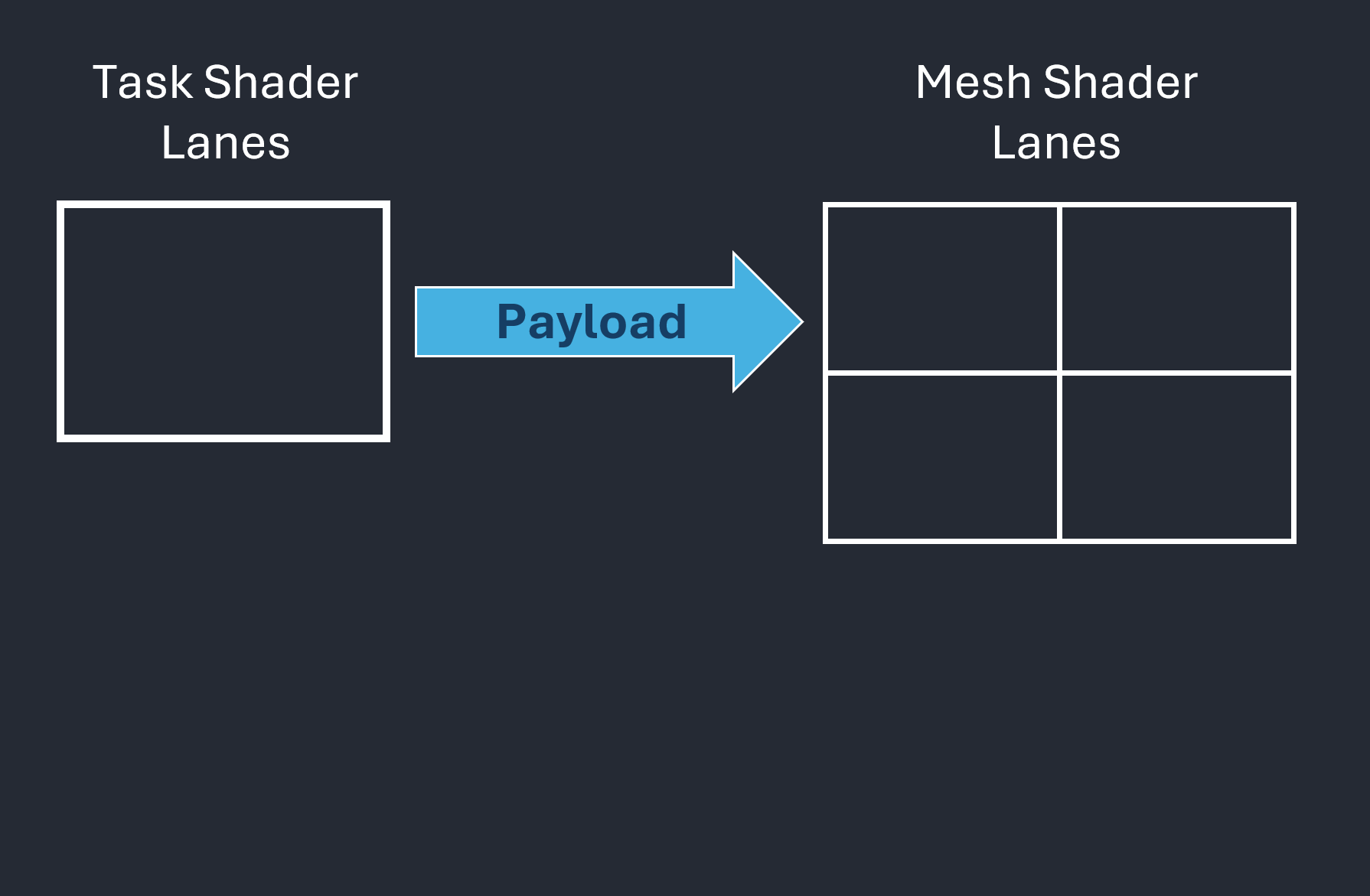
This approach, however, leads to underutilized lanes within the workgroup. To fully leverage GPU parallelism, workgroup sizes should be at least 32 threads on NVIDIA architectures and 64 on AMD. Increasing the workgroup size reveals another difficulty: only one single payload can be transferred between task and mesh shaders, as illustrated in Figure 2.
 |
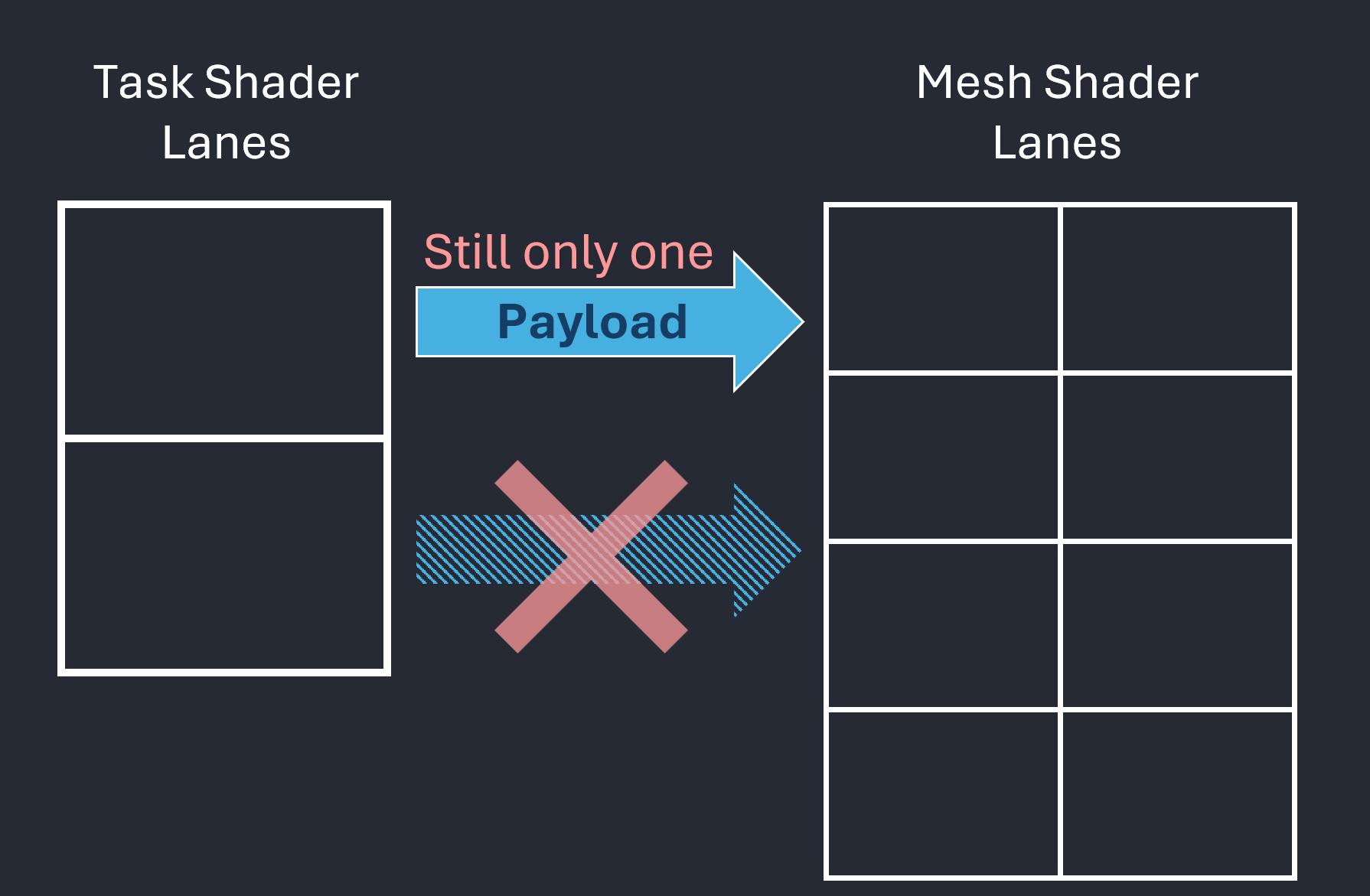 |
| Figure 2.1: Data transfer from task shader to mesh shader through a payload | Figure 2.2: Regardless of how many lanes, there is always only one payload per workgroup. |
Figure 2: These figures focus on the payload, which is data (typically small) passed from a task shader workgroup to its associated mesh shader instances.
So, we actually want something like
layout(local_size_x = 32, local_size_y = 1, local_size_z = 1) in;
but this quickly leads to challenges with respect to arranging the size-limited payload in a useful manner. In particular, we cannot have different payloads for different lanes. While an optimized solution may exist—and could potentially reduce or eliminate the observed performance gap—such an implementation is not immediately apparent. The key takeaway is that mesh shading does not provide a drop-in, high-performance replacement for all use cases. Although the tessellation pipeline has its own limitations, it proved well-suited to our scenario and delivered consistently high performance.
Conclusion
In its current form, amplification/task and mesh shaders do not appear to me as being a universal replacement for hardware tessellation. The primary limitations stem from payload handling and task shader constraints:
- A task shader workgroup can have only one payload.
- Only the first lane of a workgroup is allowed to declare how many mesh shader instances to spawn for the entire workgroup. (See SPIR-V registry regarding
EmitMeshTasksEXT, and the DirectX specification regardingMeshPayload). - Smaller workgroup sizes typically underutilize GPU parallelism.
- Payload size is expected to remain small (e.g., less than 236 or 108 bytes, as suggested in Using Mesh Shaders for Professional Graphics by Christoph Kubisch).
While I believe that highly optimized graphics mesh pipelines may achieve performance parity with hardware tessellation in certain scenarios, the tessellation pipeline remains significantly simpler to program because it does not require programmers to implement all kinds of optimizations for good performance. This simplicity reflects years of vendor-driven optimization in workload distribution across GPU architectures, as described as Work Distribution Crossbar in Fast Tessellated Rendering on Fermi by Tim Purcell.
The only real benefit of amplification/task and mesh shaders in tessellation scenarios appears to be their support for controlled and well-defined subgroup operations, like in conventional compute shaders. I welcome further discussion down below, and I’m particularly interested in counterarguments or descriptions of mesh shading features that I have overlooked in my analysis. In any case, I am curious how mesh shaders will evolve with future extensions and improvements.
Comments